Teacher tool
Planner
Your digital plan book.
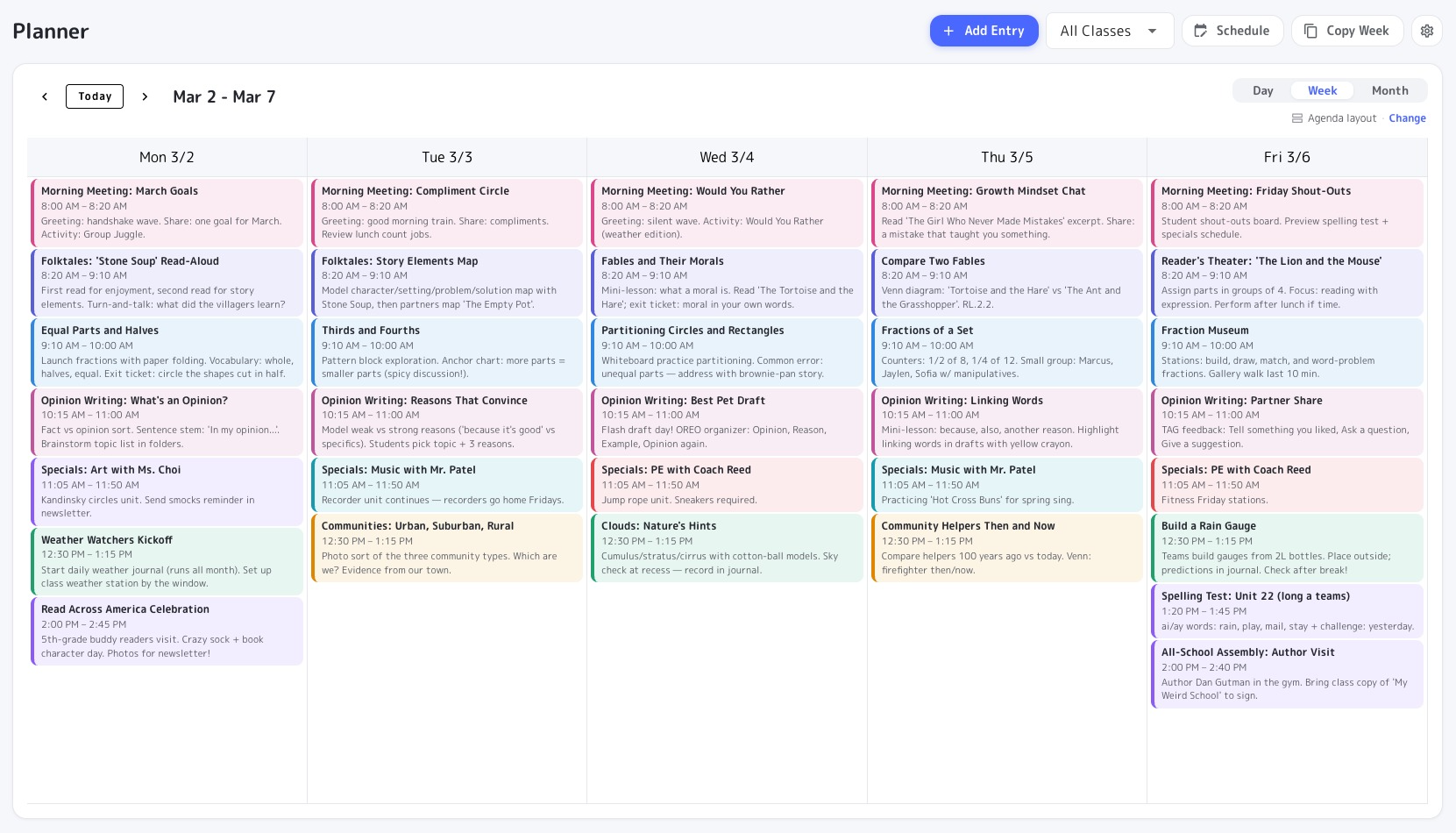
A full class calendar for lessons, specials, and events. Plan by day, week, or month — with A/B week rotations when you need them.
Free with every TeacherStack account
How it works
Plan the day, the week, or the whole term
Schedule lessons and events, then teach the day right from the calendar.
1
Open your week
See every subject laid out across the days at a glance.
2
Schedule lessons & events
Drop in lessons, specials, and events where they belong.
3
Teach from it
Open the day and run your plan straight from the screen.
A plan book that keeps up
Quick to fill in, and even quicker to reuse.
Day, week, or month
Zoom from a single day out to the whole month without losing your place.
Every subject, color-coded
Lessons, specials, and morning meetings slot into their times, each subject in its own color.
Copy a week forward
Reuse last week as a starting point, or set up an A/B week rotation and let the schedule alternate on its own.
Linked to your Lessons
Drop a plan from your lesson library straight onto any day.
Your week, your way
Three ways to see your week
Same plan, three views. Switch anytime — the planner remembers how you like it.
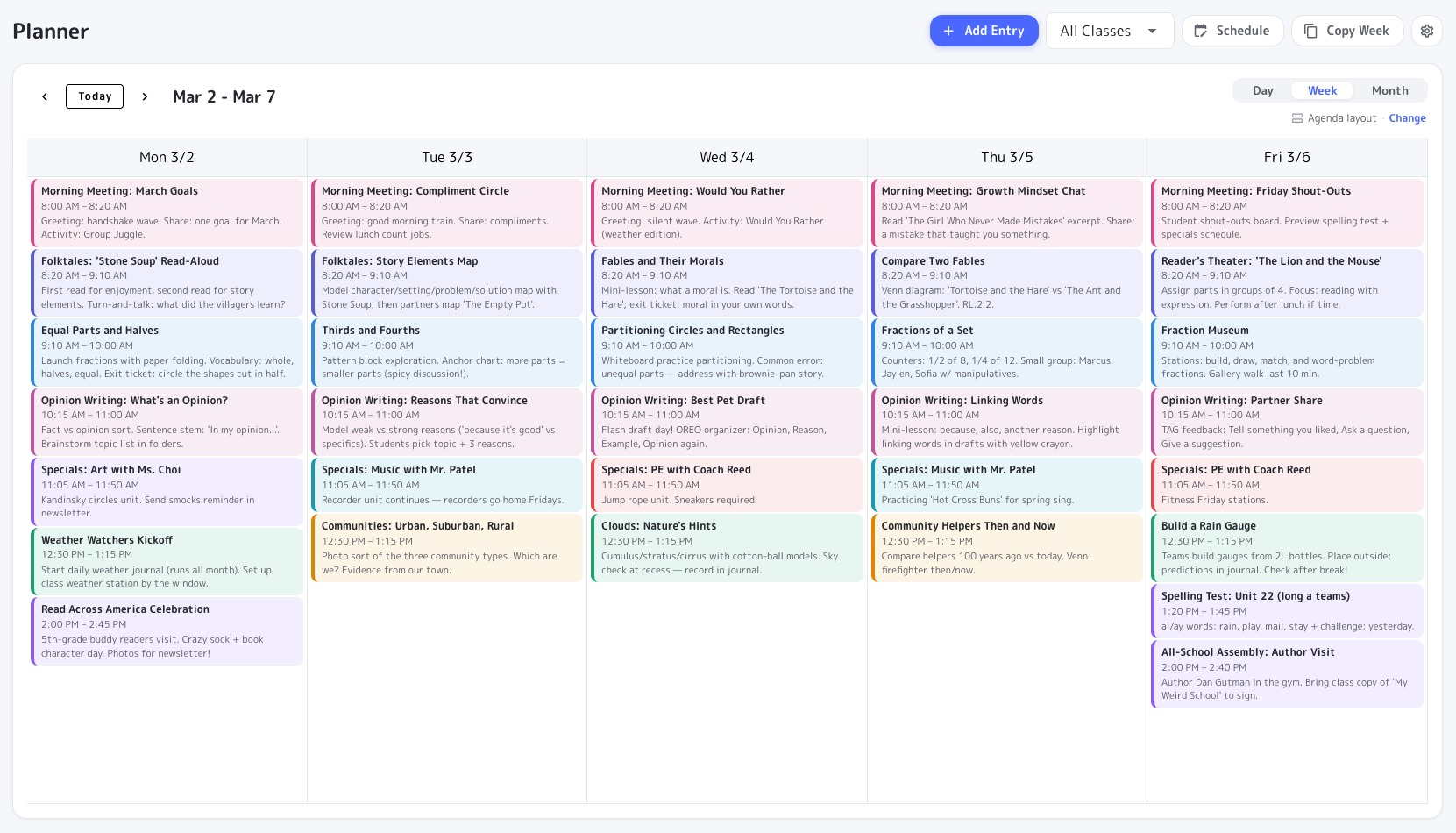
The default — each day as a running list of lessons, so the whole week reads top to bottom.
The whole term, under control
Open the week, teach from the day, and copy plans forward — the term stays organized without a paper plan book to rewrite every Sunday.
Get Planner and the whole stack
One free account includes every TeacherStack tool.
Sign up — it's free