Teacher tool
Library
Every resource in one place.
A reusable content library for files, links, videos, flashcard decks, and saved board groups — organized by subject, unit, and your own labels.
Free with every TeacherStack account
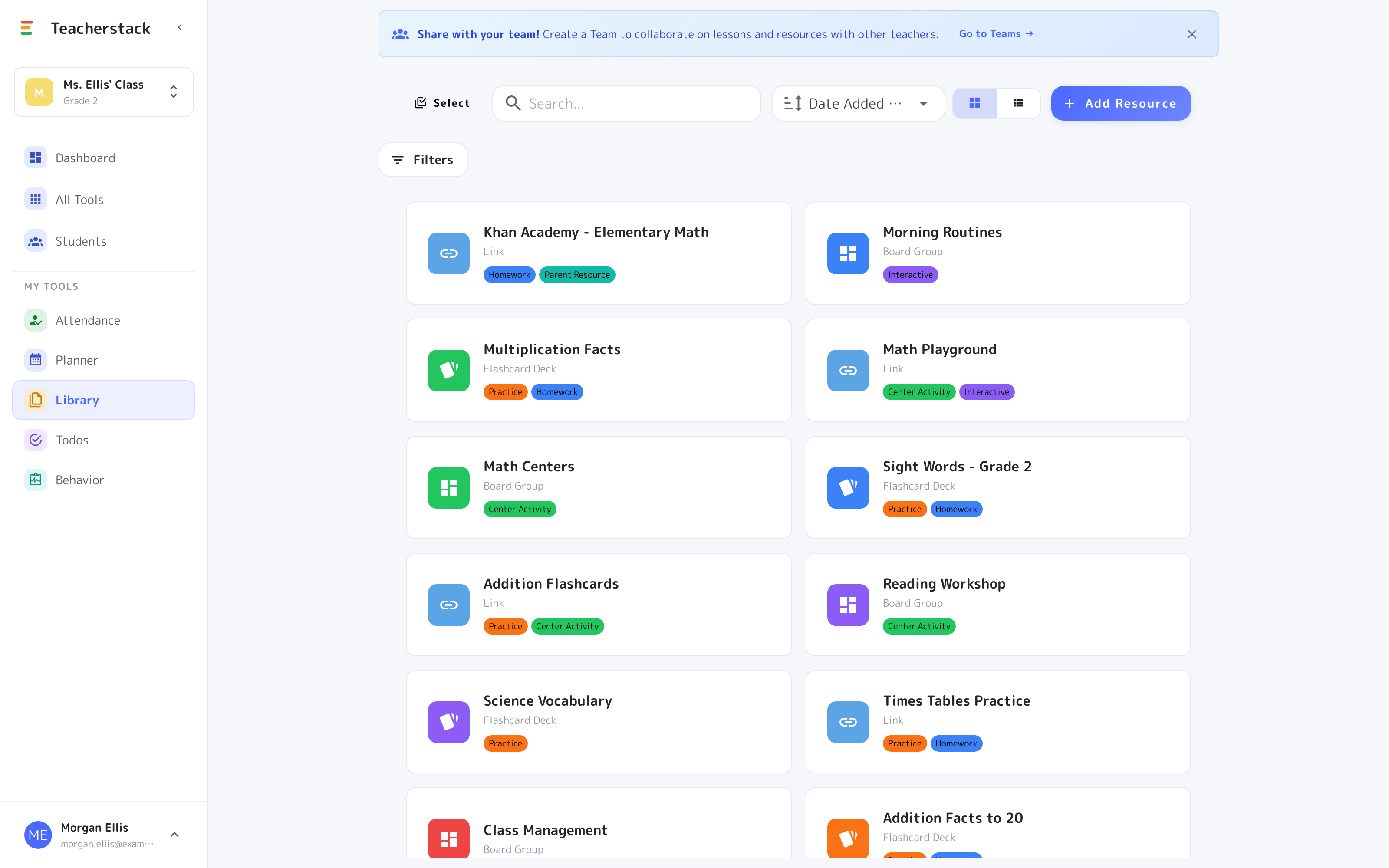
How it works
From scattered files to one organized shelf
Add it, label it, pull it into any lesson.
1
Add your materials
Upload files, paste links, and save videos; flashcard decks and board groups land here automatically.
2
Organize with labels
Sort by subject, unit, and custom labels that fit how you work.
3
Use & share
Attach resources to lessons, or share a whole library with your team.
Every resource, one shelf
Materials you reuse should be findable, not scattered across drives and tabs.
Everything you reuse
One shelf for files, links, videos, flashcard decks, and saved board groups.
Label it your way
Tag resources “Homework,” “Center Activity,” “Practice,” and filter to the right one fast.
Straight into a lesson
Attach any resource to a lesson plan, so the materials travel with the plan onto your calendar.
Share with your team
Pass a whole library to your grade-level team in a click.
The resource shelf
Everything you reuse, in one place
Links, flashcard decks, saved board groups — collected, tagged, and a click from any lesson.
- 1Every kind of materialLinks, flashcard decks, and saved board groups all live on the same shelf, each with its own icon.
- 2Tagged and filterableLabel resources “Homework,” “Center Activity,” “Practice,” then filter or search straight to one.
- 3Grid, list, or sharedBrowse as cards or a tight list — and hand the whole library to your team in a click.
No more hunting for that link
Files, links, videos, decks, and board groups on one organized shelf — pull what you need straight into a lesson, or hand a whole library to your team.
Get Library and the whole stack
One free account includes every TeacherStack tool.
Sign up — it's free